YouTube Shorts Level Up: New Full-Screen Mode and Must-Try Features

YouTube Shorts Just Got a Major Makeover: Here’s What’s Changing
If you find yourself endlessly scrolling through YouTube Shorts, you’re about to have a much smoother experience. YouTube is rolling out a fresh batch of updates designed to make watching videos more immersive and easier to control. Whether you’re tired of cluttered screens or just want to zip through content faster, these tweaks are likely to hit the spot.
Meet ‘Clear Screen’ Mode
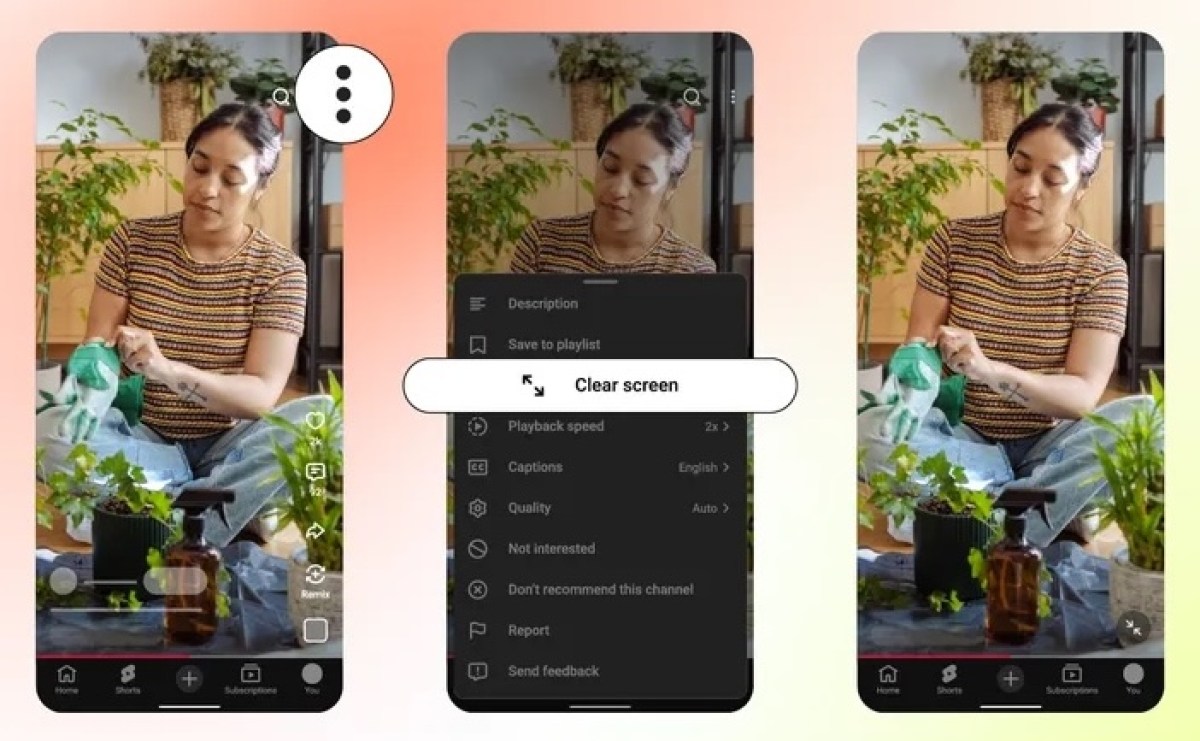
Ever wish you could just focus on the video without all the buttons and text getting in the way? YouTube has introduced a new Clear Screen mode. With a quick tap, you can hide all the UI elements—like channel names, descriptions, and buttons—leaving you with a completely distraction-free, full-screen view. It’s a small change, but it makes a world of difference for visual-heavy content.
Speed It Up
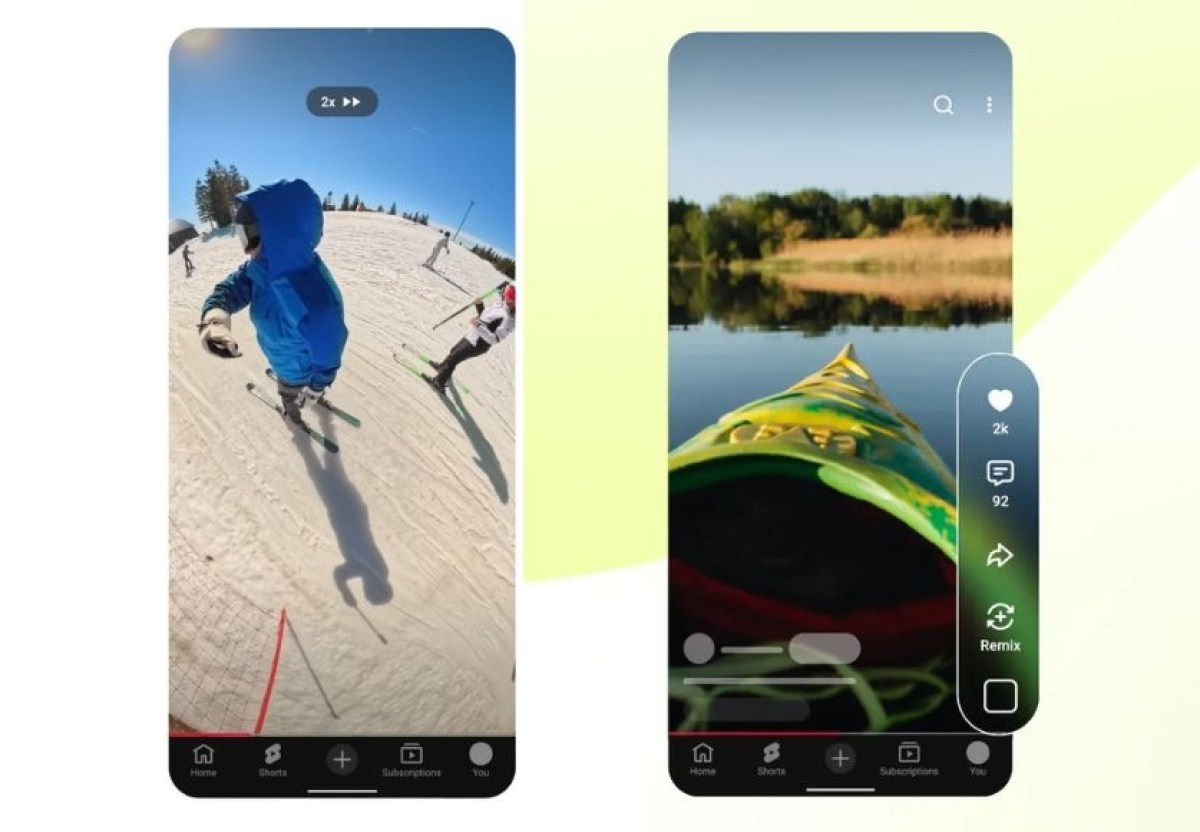
We’ve all been there—sometimes you just need to get to the point. YouTube is finally giving us a 2x playback speed option. Now, you can breeze through longer Shorts or get through your feed twice as fast, which is a massive win for those who value efficiency.
Simplified Interactions
Interaction is getting a bit of a facelift, too. You’ll notice the classic thumbs-up is being swapped out for a heart icon, giving the platform a more personal touch. Plus, muting a video is significantly more intuitive. Just tap the screen to pause, hit the new mute button, and you’re golden.
Better Content Curation
Perhaps the most functional change is the departure of the dislike button. In its place, YouTube is offering more refined feedback options. You can now tell the algorithm exactly why you’re skipping a video by selecting “Not interested” or “Don’t recommend this channel.” It’s a smarter way to curate your feed so you actually see the stuff you enjoy.
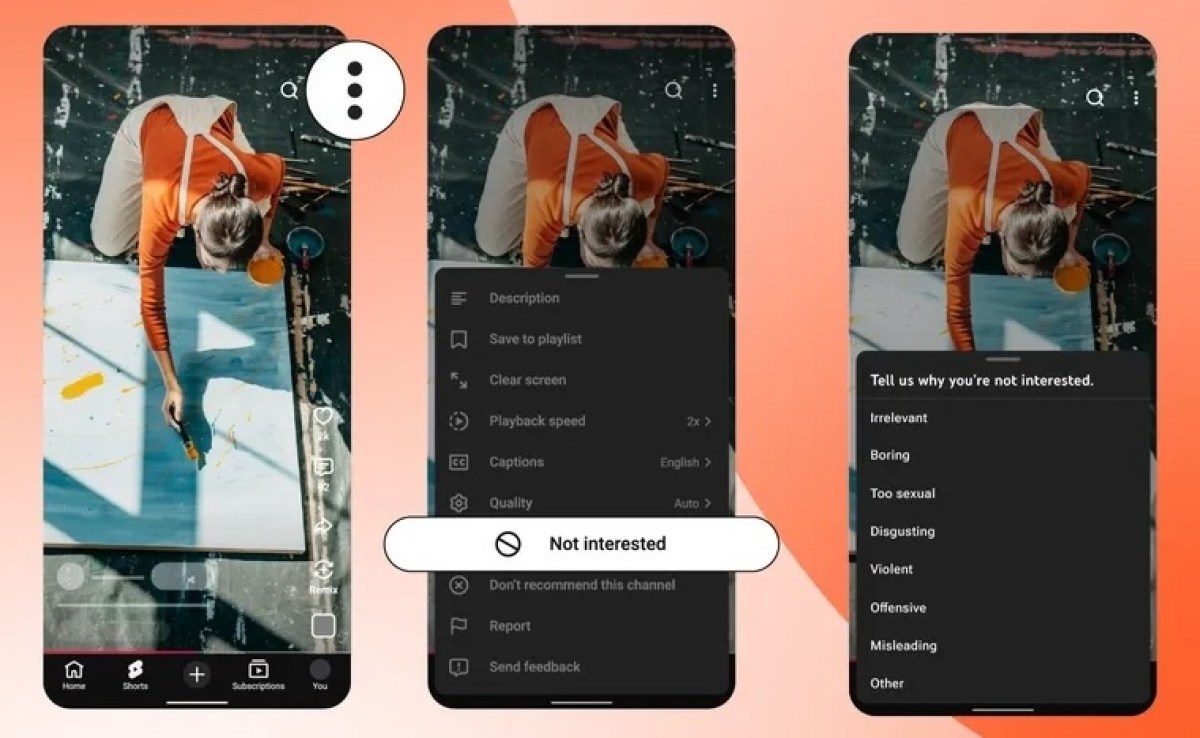
These features are currently hitting devices over the coming days and weeks, so keep an eye out for an app update. Happy scrolling!
About The Author