Oppo rolls out ColorOS 16 May 2026 update with AI Mind Pilot, improved Live Space, and more
Oppo Drops Big ColorOS 16 Update: What’s New for Your Find and Reno Phones
Oppo is keeping things fresh this May. The company has officially kicked off the rollout of its ColorOS 16 update, targeting users of the Find and Reno series. This isn’t just a minor patch; it’s a significant polish to the user experience, bringing smarter interactions and some genuinely useful cross-platform tools to the table.
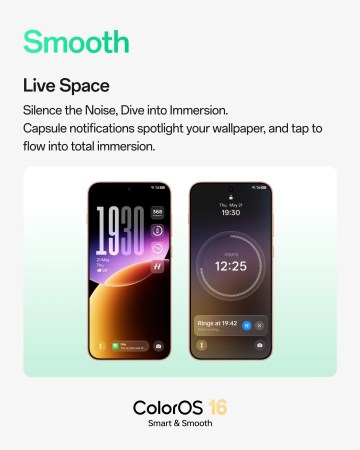
A More Fluid ‘Live Space’
The real star of the show is the revamped Live Space. Oppo has worked on making the lock-screen experience feel much more immersive. Think fluid animations and a responsive interface that doesn’t stutter. The new capsule-style notifications are particularly slick—they give you real-time updates in a clean, non-intrusive way, so you stay in the loop without feeling overwhelmed by pings.
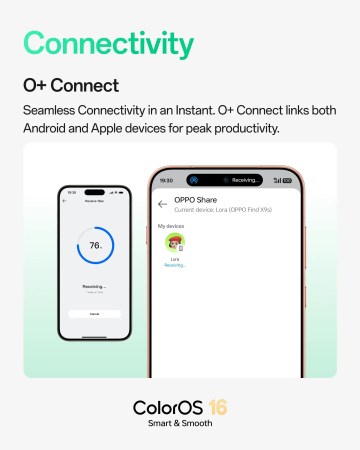
Bridging the Gap: Oppo Meets Apple
One of the most practical additions in this update is the improved O+ Connect. In a move that will please multi-device users, Oppo has enabled seamless cross-platform file sharing and connectivity between Oppo and Apple devices. It’s a welcome bridge that makes moving your photos and documents between different ecosystems much less of a headache.
The AI Toolkit for Daily Life
ColorOS 16 leans heavily into intelligent features designed to help you stay organized. Under the new AI Mind Pilot umbrella, you’ll find tools like AI Grouping, AI Menu Translation (great for travelers), and AI Scan. These aren’t just gimmicks—they are built to handle the mundane tasks that eat up your time.
The productivity suite includes:
- AI Recording Stickers: You can now add text and image markers while recording or reviewing audio—perfect for marking that one important moment in a long meeting.
- Smart Summaries: The system can now generate automatic titles and summaries for translated conversations and recordings, even including tables and flowcharts in specific markets.
- App Cloner Upgrade: Power users can now run up to three clones of supported apps, making it easier than ever to balance work, personal life, and entertainment accounts on a single device.
More Than Just Big Features
Beyond the headline features, Oppo has tucked in several quality-of-life improvements that make the phone feel faster and more intuitive:
- Smoother Transitions: Swapping between apps like Messages, Weather, and Calendar now feels more natural with refined animations.
- Search by Color: If you use Drawer mode, you can now find apps by their icon color—a surprisingly handy feature when you can’t remember an app’s name but know it’s the “blue one.”
- Visual Polish: The Eye Comfort settings page has been simplified, and a new LUMO watermark is available for those who want to add a bit of branding to their photography.
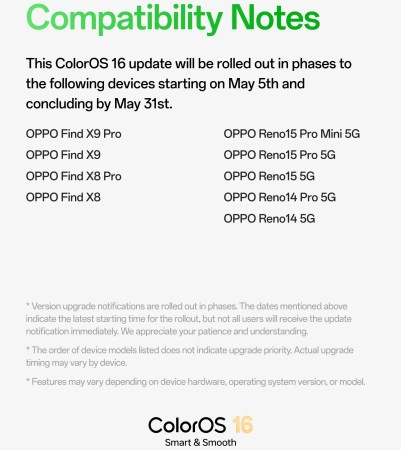
Oppo began rolling this update out in phases on May 5, with the goal of reaching all eligible devices by May 31. If you own a recent Find or Reno series phone, keep an eye on your settings menu for that download notification.
About The Author