Fitbit Air early deliveries are having issues pairing with Android phones
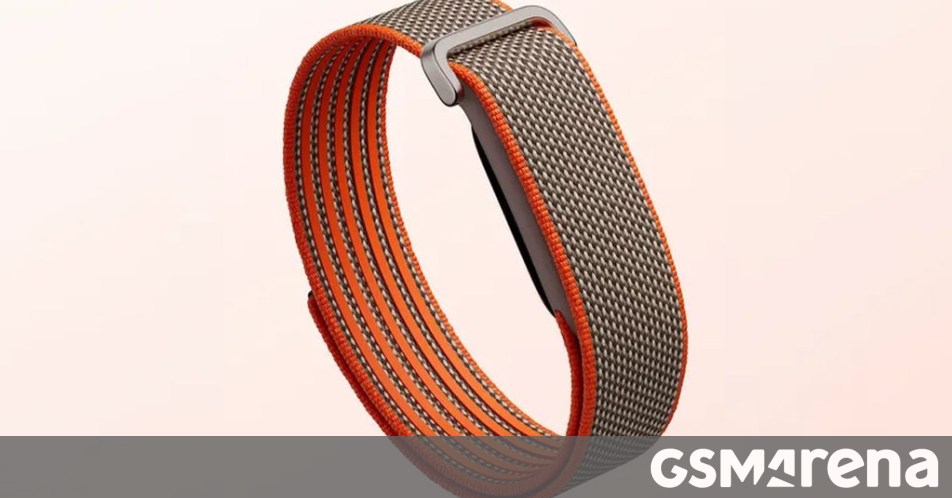
The Fitbit Air is Arriving Early, But There’s a Catch for Android Users
Google’s first foray into the screenless wearable market, the Fitbit Air, is officially hitting doorsteps. While the official release wasn’t slated until May 26, several lucky—or perhaps unlucky—customers who pre-ordered the device are finding packages on their porches a day ahead of schedule.
However, getting the device early has come with a frustrating side effect: it won’t pair with Android phones just yet. The issue stems from a software gap. To set up the Fitbit Air, users need version 5.0 of the revamped Google Health app, which hasn’t quite made its way to the Play Store for everyone yet.
A Classic Software Lag
It’s a bit of a ‘cart before the horse’ situation. Because the hardware arrived before Google expected, the server-side rollout of the necessary app update is still catching up. Users trying to sync their new trackers are being greeted with a message stating they need an updated version of the Google Health app—one that simply isn’t available for download when they check.
Interestingly, this is strictly an Android headache. iPhone users who received their trackers early are reporting zero issues, as the iOS version of the update is already live and functional. If you are on an Apple device, you can start tracking your steps immediately.
Google’s Response
Google is aware of the friction. A representative from the product team jumped into a Reddit thread to address the complaints, noting that they are working to “accelerate the rollout” of the Android update to accommodate those who got their devices ahead of time. According to the team, the fix should be available shortly.
If you’re one of the early birds staring at a beautiful but un-syncable tracker, hang tight. The software should catch up to your wrist by the time the official launch day rolls around tomorrow. For now, it might just have to stay in the box for a few more hours while the Play Store catches up.
About The Author