Google launches fake call detection in its Phone app
Google Just Made it Way Harder for Scammers to Voice-Clone Your Family
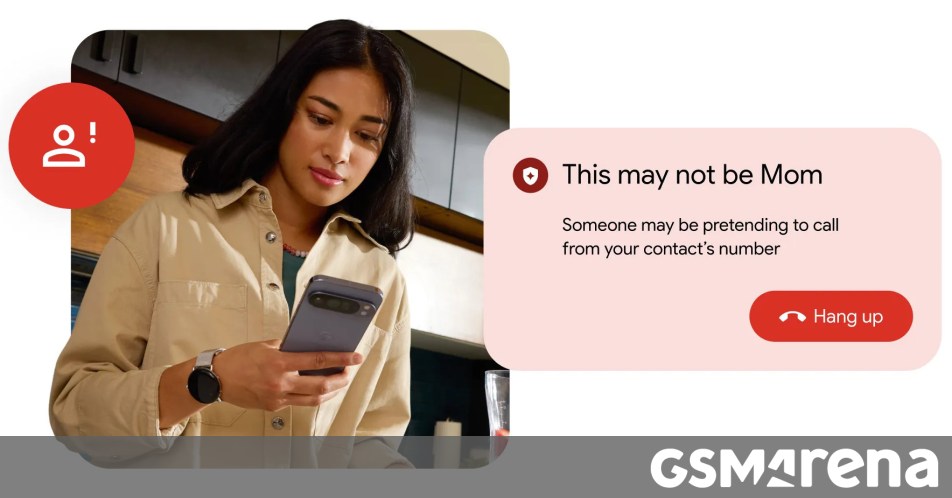
Getting a phone call from a family member in distress is every person’s worst nightmare. But lately, that nightmare has taken a digital turn. Scammers are now using sophisticated AI deepfakes to mimic the voices of loved ones, bosses, or authority figures to trick people into sending money or sharing sensitive info. To fight back, Google just announced a new fake call detection feature for the Phone by Google app, and it’s a massive step forward for mobile security.
How the Scams Work (and Why They’re Scary)
Modern impersonation scams usually happen in two stages. First, scammers ‘spoof’ a phone number, making it look like the call is coming from someone in your contact list or a trusted organization. They route these calls through internet software to bypass traditional caller ID checks.
Second, they use AI voice cloning. Technology has reached a point where even a few seconds of a person’s voice can be used to create a deepfake that is nearly indistinguishable from the real thing. According to Google, even experts struggle to tell these voices apart now, leaving regular users incredibly vulnerable.
The Tech Behind the Protection
Google’s new solution acts like a digital handshake. If both the caller and the recipient are using the Phone by Google app, the two devices communicate silently in the background. The app on the caller’s end confirms to your phone that the call is indeed originating from that specific device.
This verification happens via end-to-end encrypted RCS, meaning the process is completely private. If a scammer tries to impersonate your contact using a spoofed number, that secret confirmation signal won’t exist. When that happens, your phone will flash a warning, letting you know the call might not be who it says it is.
When Can You Get It?
The feature is rolling out globally this month for devices running Android 12 or newer. Google Pixel owners will be the first to see the update. If you use a different default dialer—like the one pre-installed by Samsung or OnePlus—you aren’t left out. You can simply download the Phone by Google app from the Play Store and set it as your default to get this extra layer of protection.
By default, the feature will be turned on, but you can always toggle it off in the app settings if you prefer. Given how convincing AI scams have become, having this automated ‘reality check’ is a major win for peace of mind.
About The Author





