WhatsApp is now testing the View-Once disappearing messages feature on iOS
WhatsApp Testing ‘Read-and-Gone’ Disappearing Messages on iOS Beta
Privacy is the name of the game for WhatsApp lately. After rolling out the “View-Once” feature for disappearing messages on Android last month, it looks like iPhone users are finally getting their turn to join the party.
The eagle-eyed team at WABetaInfo recently spotted the new functionality in the latest WhatsApp for iOS beta (version 26.19.10.72). It’s a significant step up for anyone who wants a little more control over their digital footprint without having to manually delete every single chat bubble.
How It Works
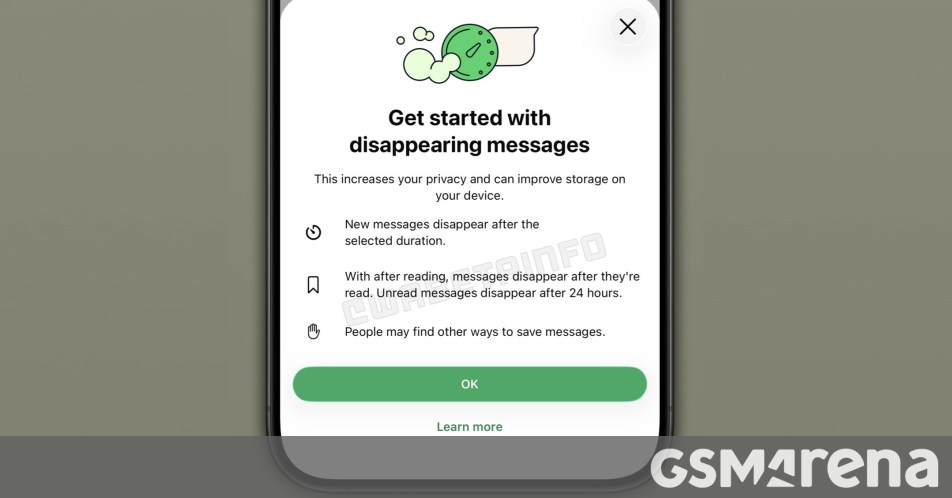
You can find this new setting tucked away in the Default message timer menu. Instead of just setting a blanket expiration date for your messages, you can now toggle an “After reading” option. On iOS, beta testers currently have three specific windows to choose from:
- 5 minutes
- 1 hour
- 2 hours
Once that timer runs out, the message vanishes into thin air. But there’s a slight twist in how the timing actually works for the sender versus the recipient.
The Timing Logic
Let’s break it down with a quick scenario. If you fire off a message at 10:00 AM with a 5-minute timer, it will disappear from your device at 10:05 AM no matter what. However, for the person on the other end, the countdown only starts once they actually open and read it. If they check their phone at 10:10 AM, the message will stick around until 10:15 AM before it poofs.
If they never open the message at all, WhatsApp has a safety net in place: the content will automatically expire and delete itself after 24 hours to keep the conversation secure.
While some beta testers are already playing around with these disappearing acts, there’s no official word yet on when this will hit the App Store for the general public. Given the pace of these beta updates, a global rollout likely isn’t too far off.
About The Author