Samsung Galaxy Z Fold7 Gets Powerful New AI Upgrades in June Update
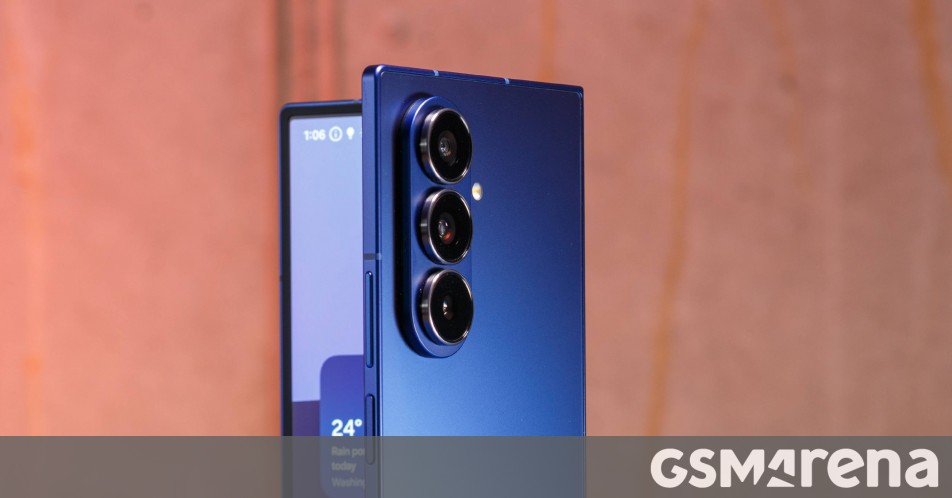
Samsung Galaxy Z Fold7 Gets a Smart Boost with New Galaxy AI Features
Samsung is keeping the momentum going for its premium foldables. Hot on the heels of the Galaxy S25 series update, the Samsung Galaxy Z Fold7 is now receiving the June 2026 Android security patch. But this isn’t just a routine “under-the-hood” maintenance fix—it brings some of the clever Galaxy AI tools we first saw debut with the S26 series.
While the S25 lineup recently picked up three new AI capabilities, the Fold7 is getting two specific additions focused on productivity and organization. It’s a nice move from Samsung to ensure their foldable flagship stays competitive and feature-rich.
What’s New for the Z Fold7?
The update introduces two specific features designed to help you cut through the digital noise and handle documents more efficiently:
- Prioritize Notifications: Think of this as a smart filter for your lock screen. Galaxy AI analyzes the content of your incoming alerts and your own usage patterns to highlight what actually matters. It ensures you see that urgent work message or family update before you get lost in a sea of social media pings.
- File Summaries: This is a massive win for power users. You can now generate instant, AI-powered summaries for PDF and TXT files. It even works within the Voice Recorder app, turning long recordings into concise highlights so you don’t have to scrub through hours of audio.
Interestingly, the “Summarize Notifications” feature seen on the S25 wasn’t included in this specific build for the Fold7, but the addition of file summaries and smart prioritization still adds significant value to the device’s multitasking identity.
Rollout Details: How to Get It
The June 2026 update carries firmware version F966NKSUABZF1. Currently, the rollout has officially kicked off in South Korea. If history is any indication, we can expect Samsung to expand this to other global regions in the very near future.
If you’re using a Fold7 and want to see if the update is waiting for you, you don’t have to wait for the system notification. You can check manually by heading to:
Settings > Software update > Download and install
It is always a smart move to be on a stable Wi-Fi connection before starting the download. These AI refinements go a long way in making the Fold7 feel more intuitive, helping you spend less time managing your phone and more time getting things done.
About The Author