macOS 27 Golden Gate: Meet Siri AI and the Stunning New Liquid Glass Dial
macOS 27 Golden Gate: The End of the Intel Era and the Rise of Apple Intelligence
Apple is drawing a definitive line in the sand with the announcement of macOS 27 Golden Gate. If you’ve been holding onto an Intel-powered Mac, it’s officially time to start looking at an upgrade. This latest iteration of Apple’s desktop OS is the first to drop support for Intel processors entirely, making it an exclusive club for those running M-series or A-series silicon.
It’s a bold move, but it’s one that clears the path for Apple’s most ambitious software leap yet: the integration of Apple Intelligence and a completely reimagined, standalone Siri app.
Siri Gets a Home of Its Own
For years, Siri felt like a background service. In Golden Gate, it’s a full-fledged app. This isn’t just a fresh coat of paint; the new Siri is built to understand personal context. It can tap into system-wide apps to help you find that one specific document from three weeks ago or recognize what’s currently on your screen through Visual Intelligence.
Spotlight search is also getting a massive overhaul. With the new “Type to Siri” feature, you can interact with the system using natural language prompts directly in the search bar. It feels less like searching for a file and more like chatting with a personal assistant who actually knows where you left your keys.
The Hardware Divide: Who Gets the Good Stuff?
While the base Siri app will run on anything from the original M1 chip upward (including the new MacBook Neo with the A18 Pro), there is a catch. Apple is reserving its most intensive on-device Intelligence features and deep customization options for the heavy hitters. You’ll need a Mac with an M3 chip or newer and at least 12GB of unified memory to take full advantage of everything Golden Gate has to offer.
Performance Tweaks and Liquid Glass Design
Beyond the AI headlines, Apple has been busy under the hood. Golden Gate promises snappy system-level improvements that you’ll actually feel in day-to-day use. We’re talking faster AirDrop transfers, snappier file browsing, and Safari speeds that make the current version feel sluggish by comparison.
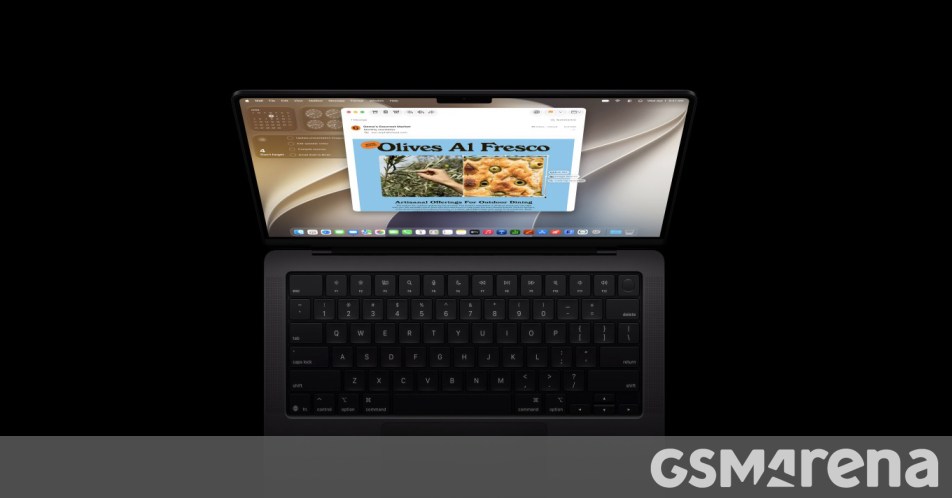
Visually, the OS is leaning into what Apple calls Liquid Glass design. It’s a sleek, refined look that brings a sense of uniformity to toolbars and menus across the entire system. If you find the new aesthetic a bit too bold, there’s a new opacity slider that lets you dial the effect up or down to suit your workspace.
Power users will also be happy to hear that macOS 27 finally brings native support for 5K/120Hz ultrawide displays, making those high-end monitor setups look better than ever.
When Can You Get It?
If you’re a developer, you can dive into the macOS 27 Golden Gate beta starting today. For the rest of us who prefer a bit more stability, the public beta is scheduled for July, with the final, polished version set to hit your Mac this September.
About The Author