Bad News for Samsung Users: New Android PC Backup Feature Won’t Work for You
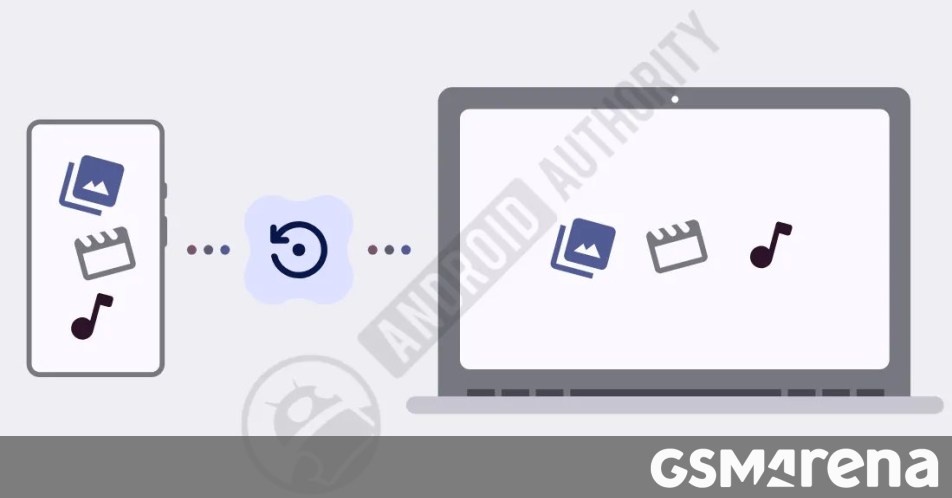
Google Plans Cloud-Free Android Backups Directly to Your PC
If you’ve ever felt uneasy relying solely on the cloud to keep your phone’s media safe, Google has some promising news. Recent findings suggest the company is developing a feature that lets you back up your Android device directly to your Windows PC—no cloud subscription or internet upload required.
This upcoming functionality works over Wi-Fi, provided your phone and computer are hanging out on the same network. Deep inside the latest version of the Google Play Services app, developers uncovered a hidden information page confirming this development.
How It Works
The system seems designed to integrate seamlessly with the Quick Share app on Windows. Once it rolls out, the process should be fairly straightforward:
- Ensure both your Android phone and your PC are signed into the same Google account.
- Enable the feature within the Quick Share desktop application.
- Choose exactly which photos and videos you want to secure on your local drive.
The Samsung Exception
Interestingly, the fine print on the setup page explicitly states that “Samsung phones aren’t supported.” While this might seem like a strange limitation, it likely boils down to Samsung’s existing ecosystem. Samsung already offers its own robust tool, Smart Switch, for managing backups. However, it’s worth noting that Smart Switch currently lacks an automatic backup option, which is exactly the gap Google is aiming to fill.
Since Samsung is the only brand specifically called out for exclusion, it’s safe to assume that most other Android users can look forward to this local backup convenience soon. It is a welcome shift for those who prefer keeping their personal memories stored locally rather than offloaded to a server.
About The Author