Amazfit Beta Update: Finally Get iOS Notifications on Your Wrist
Amazfit Upgrades iOS Notification Experience with New Beta Program
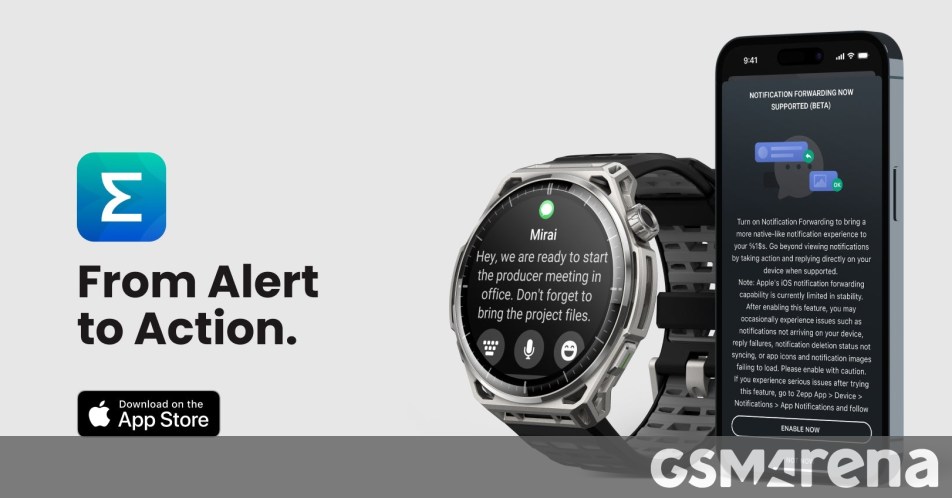
If you’ve been feeling like your Amazfit smartwatch could do a bit more when paired with your iPhone, there is some exciting news on the horizon. Amazfit is rolling out a fresh beta testing program specifically designed to supercharge how notifications behave on iOS, finally bridging the gap between basic alerts and true interaction.
There is a slight catch to start: this initial rollout is currently limited to users residing within the EU. However, if you are in the region, you’re in for a treat. This isn’t just about reading a snippet of a text anymore. The new notification handling lets you dive deeper into your alerts, allowing you to view full messages, fire off quick replies, or mark items as read directly from your wrist.
What’s New in the Notification Experience
The update brings a more functional approach to communication. You can expect:
- Full Message Previews: See the entire context of a conversation without pulling out your phone.
- Interactive Replies: Use quick responses to stay in touch while on the move.
- Media Support: The integration is designed to handle image previews, which is a game-changer for things like smart doorbell alerts where seeing who is at the door matters.
The feature plays nicely with popular apps like WhatsApp, making your wearable feel like a genuine extension of your phone rather than just a passive screen for buzzes.
Supported Devices and How to Get Started
Amazfit is kicking things off with a select group of high-performance wearables, including the Cheetah 2 Ultra, Balance Ultra, and Balance 3. Don’t worry if your watch isn’t on that list yet—the company has confirmed that a broader range of models—including the T-Rex 3, Active 3 Premium, and several variants of the Cheetah and Balance series—will be added in the coming weeks and months.
The beta phase begins on June 30. If you are eligible, keep an eye out for a Zepp App update in the iOS App Store. Once updated to the latest version (and provided you are on the required iOS version), the app will likely prompt you to opt-in. You can also toggle the feature manually by heading to Devices > Notifications > App Notifications in your Zepp settings.
It’s a significant step toward making smartwatches more useful for iPhone users, and we’re eager to see how the testing progresses before the final wide release.
About The Author